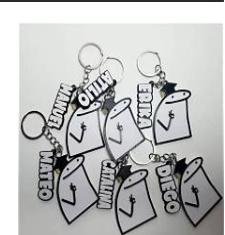
Classic name keychain
Your name on a colored tag with white letters. The most popular one: for gifts, backpacks and keys.
From $8
This is my local 3D printing business, in person: you create your idea right here and I turn it into a real 3D piece. Put your name, your logo or your favorite character on it, upload your image as an SVG and watch it become a keychain, or start with a template. When you like it, send your request, I confirm the price, and we arrange in-person delivery or pickup.
One login for everyone. Sign in with your email and password and your account decides what you see: Oscar (admin) gets the admin panel and all the downloads, registered customers get their order history and the full designer, and guests can browse and order without an account. Nobody picks a role by hand.
Why register: you keep the history of all your orders and can re-order the same design or edit it as a new order without starting over. As a guest you can also send your request, it just is not saved in an account history.
Browse like a store: pick a category, choose a product, and tap Customize. The same editor on this page opens with that design already loaded — you only change your details and send your request. Prices from $8; the final price is always confirmed before printing.
Your name on a colored tag with white letters. The most popular one: for gifts, backpacks and keys.
Your name with a colored outline that follows the letters, so the name stands out. One single piece, ready to hang.
One big initial on a round keychain, in an elegant thick letter. Simple and pretty for any bag.
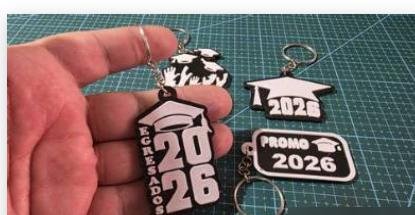
Cap, CLASS OF and the big year, ready to print. You only change the year: 2026, 2027, the one you need.
A dog paw tag with your pet name, your name and your phone, so whoever finds your dog can call you.
A cat paw tag with your pet name, your name and your phone, so whoever finds your cat can call you.
A name in letter cubes on a cord, each letter on its own cube, with a star or a bow at the end. Examples: MAGGIE, ROSSIE and BLANCA.
A red heart with a name inside, in a script letter. A small gift that says a lot.
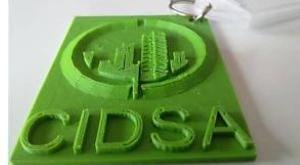
Upload a PNG or JPG and we turn it into a keychain with its own shape. Simple logos and drawings with few colors work best.
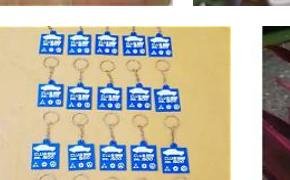
The same logo keychain, made in a batch for your event or party. Upload your logo and tell us how many you need.
The product you picked in Step 1 — the shop above — with its Customize button is already loaded here and in the editor below: you only change your details and send your request. To pick a different design, choose another product up in the shop.
Template: Classic name — everything is ready, just change your details.
The cap and the words CLASS OF are already part of the template, in flat dark blue on white, with strong contrast. Just type your year — 2026, 2027, the one you need — and the big year on the keychain changes with it. In this simple view the colors stay fixed — white base, cap and text in flat dark blue — and there is no color picker for this template. With a registered (Pro) account, the full designer lets you change all three colors: the base, the text (CLASS OF and the year) and the cap figures.
Your pet tag carries 3 details: your pet name, your name and your phone, so whoever finds your pet can call you. Each line prints at least 3 mm tall so it reads well.
Each letter goes on its own cube, with a hole for the cord, in a chain with its cord, like the photo. Try an example:
Your image keeps its own flat colors, exactly as uploaded: a black background stays black and white letters stay white. Only its silhouette is traced — no recoloring, no gradients, no shadows, no worn texture. Simple logos and drawings with few colors work best in 3D.
See your design in the 3D view below: spin it with your finger or mouse.
Sending uses the same safe form below, with your folio. Your design travels with your request, ready to print exactly as you saw it — you do not download the print file here, you only preview it.
History of this account, saved in the database. Each order can be re-ordered as is, or edited as a new order — the original is never changed. Guests have no history: their orders are saved with no account.
You have no orders yet. When you send a request it will appear here.
This panel is only for Oscar (role admin). Sign in with an admin account to see it in full.
Ready to print, as received: what the customer sent is what you print — each order arrives with its design ready. Download its files (3MF, STL or .sc) from the request form in the Designer view, or send it to the slicer there exactly as received, with no changes.
| Folio | Date | Customer | Type | Status | Price | Delivery | Files |
|---|---|---|---|---|---|---|---|
| No orders yet. Requests sent from this page are saved in the database and appear here with their server folio. | |||||||
Admin only: create the design in the full designer (text, shape, colors or image), enter the customer details, the price and the delivery date, and the quote is saved in the table above, ready to send to the customer. The customer never sees this section.
Connected database: u159187055_website (the one that already exists in Hostinger — the SQL creates no new database). The v0041 SQL keeps the 5 tables already created — users, order_statuses, prices, orders, order_files — and adds Claude's new ones: order_items (tool keychain/button/plate, template_id, design_json, quantity, price, so one order can hold a keychain and 12 different buttons), templates, price_tiers, login_attempts and order_status_history. In phpMyAdmin: select u159187055_website first, then Import → pick this file.
Real PHP backend (v0041) — upload these files to the designer folder on Hostinger (for example public_html/disenador/api/) and fill the database user and password in config.php on the server only: PDO with prepared statements, password_hash() / password_verify(), CSRF token on every form, session_regenerate_id() at login, and a login attempt limit (5 failed tries, then a 15-minute lock, recorded in login_attempts). The admin test user is oscarrdlopez1: the SQL inserts it with an invalid placeholder hash on purpose, and the one-time setup_admin.php asks for the real password once, saves its hash and deletes itself — no password is written in any file.
README v0041 config.php db.php auth.php api_login.php api_register.php api_logout.php api_me.php api_orders.php api_admin.php api_download.php setup_admin.php
How the connection works: this page talks to those PHP endpoints (api/api_me.php, api/api_login.php, api/api_orders.php, api/api_admin.php). On Hostinger, with the PHP uploaded, the login, the register, My orders and this panel read and write the real MySQL database. In this preview copy (no PHP next to it) the same screens run with an in-memory session so the design can be checked; nothing is saved here.
Sign in with your email and password. Your account decides what you see: Oscar (admin) gets the admin panel, registered customers get their orders and the full designer, and guests can close this and keep browsing without an account.
Your role is assigned by your account when you sign in — admin, registered customer, or guest. Nobody chooses a role here. In production the role comes from the role column of the users table in MySQL, read by the PHP login.
The preview spins with your finger or mouse. What you see is what you get: this preview shows your keychain exactly as it will be printed — same shape, same colors, same relief. Here you only preview it; the print file is not downloaded from this page.
The name from line 1 becomes a chain of cubes: each letter on its own cube, with a through hole for the cord, the cord on top, and a star or bow charm at the end, like the photo.
The hole goes through every cube from top to bottom, so the cubes thread on a cord like a bracelet. Holes of 2 to 6 mm fit a cord; a standard pencil (about 7 mm) or an Apple Pencil (about 8.9 mm) does not fit through them.
Small tag: the dog and cat tags have the shape of their paw print, printed as one single piece: the big pad at the bottom and the 4 toes on top, with the pads sunk 1 mm into the base (the same color as the base in the simple view; in the full view you can pick the color of the sunken pads); the others have a tag shape. There are 3 details to personalize: line 1 is the pet name, line 2 is the owner name, and tiny line 3 (3.5 mm) is the contact phone, so whoever finds your pet can call. Each line prints at least 3 mm tall. Replace the example texts with yours.
Smaller letters than lines 1 and 2, made for tiny ID tags: a pet tag, a wallet or a backpack, with the contact phones. It always prints in a thick sans-serif (bold), with a stroke of at least 0.8 mm.
Note for the Creality K2 Pro with its stock 0.4 mm nozzle: the minimum that prints well is 3 mm tall (stroke ≥ 0.8 mm, two 0.4 mm line widths). The default size is 3.5 mm.
Sending blocked: line 3 is below 3 mm tall and the text will not print readable with a 0.4 mm nozzle. You cannot send your request until line 3 is raised to 3 mm or more, so the phones read well on the tag.
Fonts that work for 3D printing: this list only has fonts with thick strokes that stay readable when printed on a keychain; thin fonts or fonts with fine details break or cannot be read with a 0.4 mm nozzle, so they are not here. The ones marked ★ are the most recommended for 3D: their strokes are the thickest and most even, so the name comes out complete and reads from far away.
The Text with outline shape is one single option for one letter or a full name: the outline goes around the text with the color and width you pick, so it stands out. The outer tab is the small loop the metal ring hangs from; you can show it or remove it.
Shape of the image: the keychain cuts out the silhouette of your drawing, like character and logo keychains. On a base: your image goes in relief on the shape you pick above.
Smoothing removes the tiny teeth and noise on the edge, fills holes and erases loose specks: the piece comes out with clean edges and no burrs to sand.
The outline is the ring of material around the silhouette of your image: it protects the tips and gives the keychain body. Minimum 1 mm; raise it if you want a thicker, more visible border.
The outline and the silhouette base take the original main color of your image (the color that repeats the most, detected when you upload it). The base color chosen below is not applied to an uploaded image. If you pick “Another color”, the picker color is used.
Your image is flattened to its main original colors (4 by default): flat colors only — gradients, shadows and worn texture are removed, so a black background prints flat black and white letters print flat white. These are the original colors of your image, ordered from most used to least used, and each layer starts set to its exact original color: the designer does not recolor your image and does not apply the base color or any template color to it. Each color is a layer of the keychain: layer 1 goes at the bottom and the rest stack on top with the relief height you pick. Change a layer color only if you want a different color on purpose, or turn a layer off to skip that color.
Only for the Graduation — Class of template, and only in this full view (registered / Pro and admin): here you can change all three colors of this template — the base color above, the text color above (CLASS OF and the big year) and the cap and figures color here. In the simple view this template stays fixed, with no color changes: white base, cap and text in flat dark blue.
The pads are sunk 1 mm into the base (negative relief): the 4 oval toes on top and the big pad at the bottom. In this full view you can pick the color of the bottom of the sunken pads; in the simple view they stay the same color as the base, with only the sunken effect.
The tab is a round loop that sticks out of the top edge, outside the design, like on evil eye charms: the hole stays complete and free inside the tab, without covering the text or the drawing. The metal ring of the keychain goes through it.
The profile we print your keychain with, so it comes out with no stringing, no rough lines and perfect on both sides. It travels with your request, to print your design just as you saw it.
Perfect on both sides: the design prints flat, with the face mirrored on the back and ironing on the surface, so neither side looks like “the back”. No stringing: short retraction, combing on and the seam hidden at the back. No supports: the keychain is flat, it does not need them.
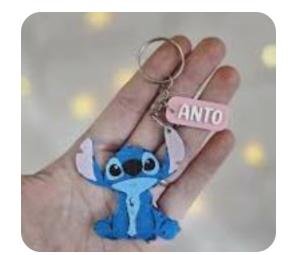
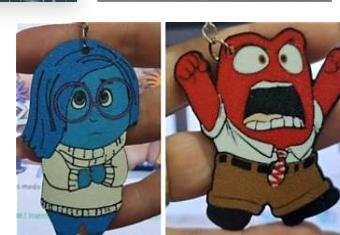
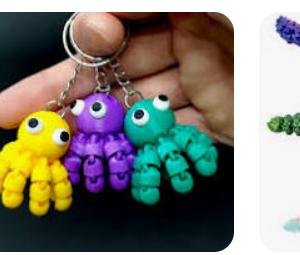
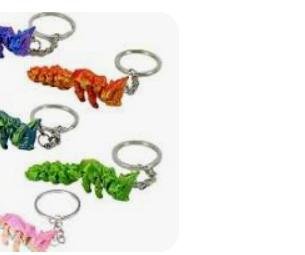
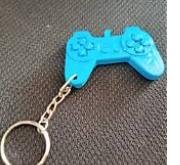
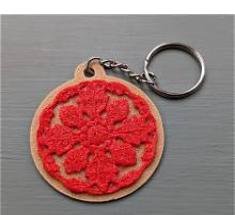
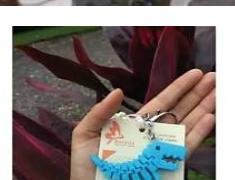
3D printed keychains like the ones you can order in person: logos, graduations, characters, names and articulated pieces.
Write your text, pick a shape and colors, or upload your image: we turn it into a keychain and you see it in 3D before you order it.
When you send it, the server gives it a unique UUID folio and saves it in its own private folder. All your files are numbered inside it: file001, file002 and so on. That way each design stays linked to its owner.
I confirm the price and when it will be ready. If you agree, I print your keychain and we arrange in-person delivery or pickup.
If you already have the 3D model of your piece, upload it and we print it for you, with in-person delivery or pickup.
Tell us who you are and check the summary. When you send it, your request goes to the server, which gives it a unique UUID folio and saves it in its private folder with all its numbered files: your data, the design, your original SVG or image, and your STL model if you upload one. Keep your folio: it is how we identify your request. Then I contact you to confirm the price and arrange in-person delivery or pickup: you create your idea here and I turn it into a real 3D piece.
This is how your request is organized on the server: one folder per request, with its UUID folio, and inside it all its numbered files to identify you and each of your files. These are the files that will be sent: